
Electronic invoicing
Sales and purchase invoices and credit notes with delivery and receipt status.
E-INVOICING FOR BUSINESSES AND PROFESSIONALS
Invoices, quotes and delivery notes on the same page. Find PDFs, XML and delivery statuses, with APIs to connect your software.
No card required. Prepare and manage documents; fiscal submissions require paid activation.
€24.90/year · 100 fiscal documents included each year · + VAT where applicable
Start with Fiscal Start →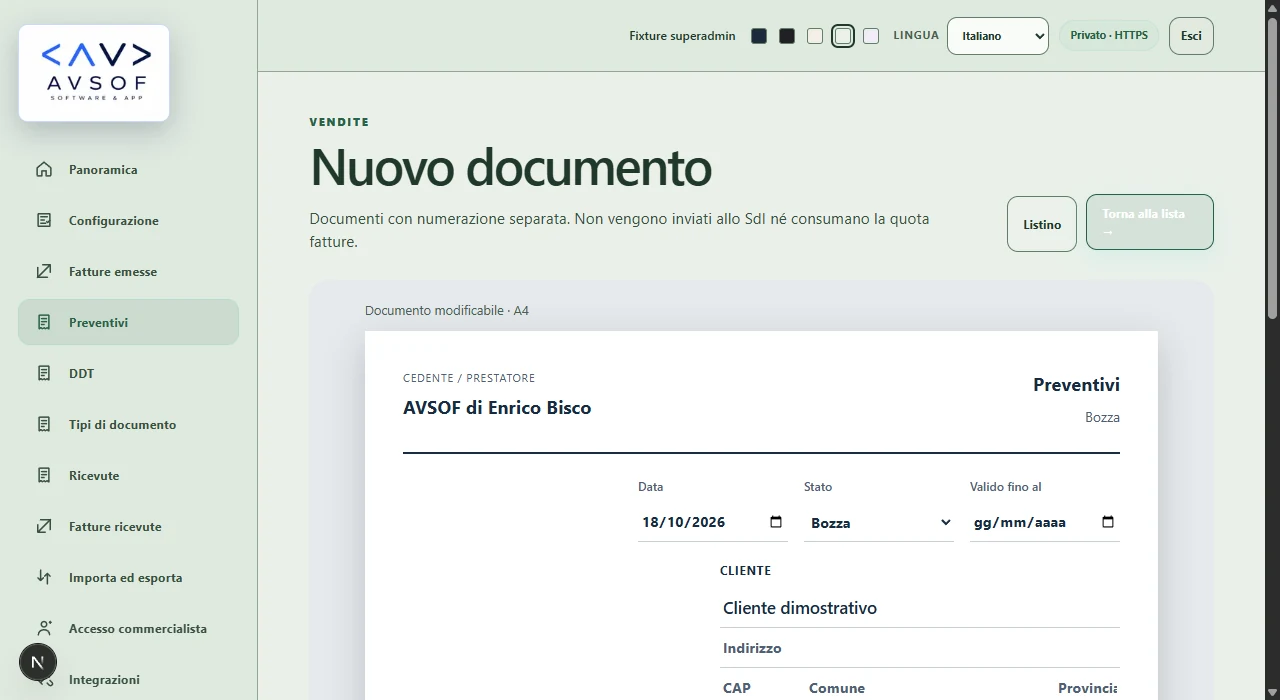
INSIDE FISCAL
A white page to write on. Small controls that save time.
Real Fiscal screenshots, AVSOF demonstration workspace with example data.

YOUR SIGN-IN
Use a passkey on your computer or phone. Fiscal checks your identity, role and company before opening the private workspace.
Choose passkey sign-in.
Chrome can offer another device and a QR code to scan.
Authorize on your phone using its supported verification method.
Illustrative steps with no usable sign-in codes. Screens and options vary by browser and device.
Official Chrome guide ↗Go to sign-in →FISCAL
From preparation to delivery, with readable files and statuses.
Sales and purchase invoices and credit notes with delivery and receipt status.
Link the credit note to its original invoice and prepare a reissue.
Find documents by type, status, date and customer.
Download the courtesy PDF and fiscal XML from the document row.
Connect ecommerce, SaaS or management software to the company’s configured fiscal profile.
Import original fiscal XML without retransmission and keep an ordered history.
FISCAL START
Buy extra documents only when needed. No extra usage for retries, callbacks, preservation, downloads, PDF, email, API or exports.
100 fiscal documents included each year
+ VAT where applicableBuy Fiscal Start →100 extra documents
+ VAT where applicableBuy +100 →500 extra documents
+ VAT where applicableBuy +500 →CATALOGO · QR · DPP
Keep products and services in the catalog. For products, attach a digital passport containing materials, activities and documents, accessible through a QR code. Choose what to publish and revoke the link when needed.
DPP · European Commission ↗ESPR Regulation 2024/1781 introduces DPP through product-specific rules. Fiscal collects public data: food, excluded from ESPR, has an informational QR sheet alongside mandatory labeling. ESPR · EUR-Lex ↗
Fibre composition and percentages · Washing and care · Repair and spare parts
Official source ↗Technical specifications · Repair and spare-part availability · Declared software support until
Official source ↗Name of the food · Ingredients in declared order · Declared allergens present
Official source ↗Materials and coatings · Dimensions and weight with units · Assembly · HTTPS manual
Official source ↗Battery category · Rated capacity (kWh) · Chemistry
Official source ↗Intended use · Performance / conformity declaration · HTTPS · Declared technical specification
Official source ↗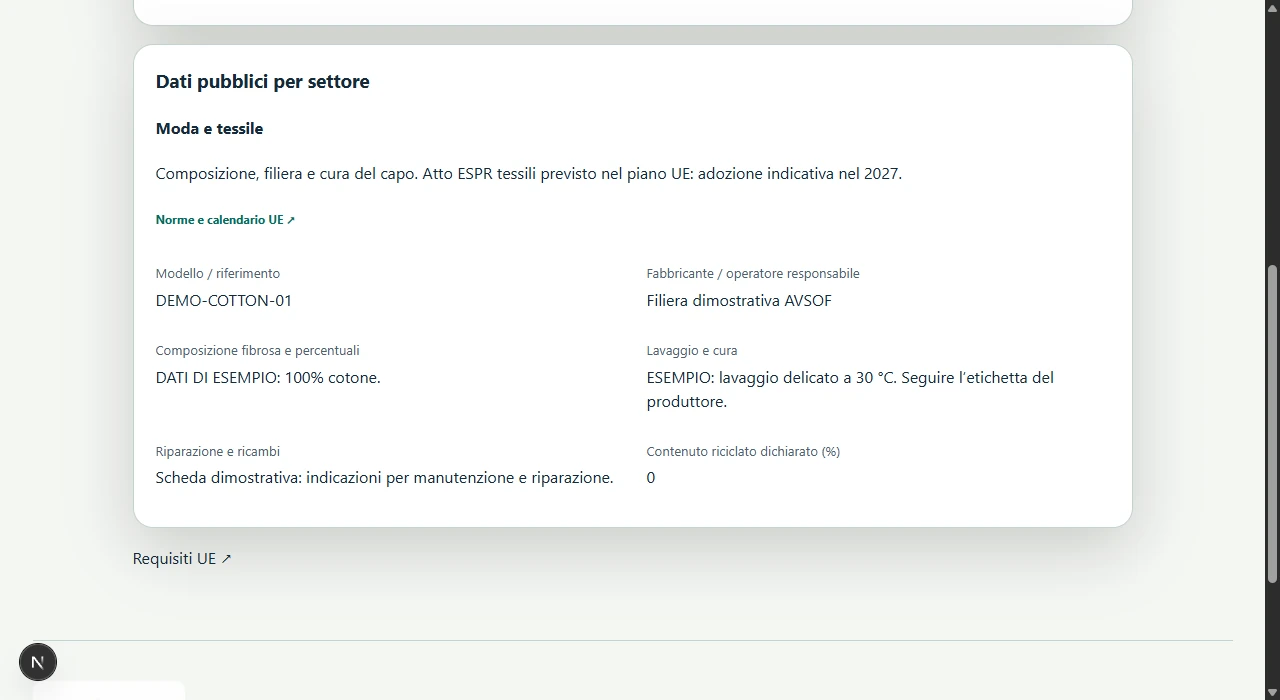
IT · FR · DE · UAE
E-invoicing in Italy, France and Germany: official deadlines and service activation are separate facts.
Invoices, delivery notifications and PDF/XML. Sending uses the company’s enabled fiscal profile and channel.
Official source ↗All affected businesses receive from September 2026; large and intermediate businesses issue from 2026, SMEs and microbusinesses from 2027. Check national channel activation before sending.
Official source ↗B2B receipt from January 2025. Issuing from 2027 above €800,000 prior-year turnover, from 2028 for other affected issuers. Statutory transitions and exceptions apply; company channel activation is required.
Official source ↗Deadline for entities with annual revenue exceeding AED 50 million. UAE activation is unavailable in Fiscal: request an eligibility check before choosing the service.
Official source ↗1 July 2030 · ViDA
Digital reporting based on e-invoicing will cover intra-EU cross-border B2B transactions. Fiscal already separates national routes; future coverage requires applicable specifications, activation and testing of each channel.
Official source · EU ↗Sources checked on 19 October 2026
SDI · AGENZIA DELLE ENTRATE
Fiscal tracks Italian SdI submissions and results. Receiving and preservation also require the relevant Revenue Agency settings.
Find the enabled channel’s code in Fiscal configuration. It differs from a public-office recipient code.
Open configuration →Sign in to Fatture e Corrispettivi and register the electronic delivery address for your Italian VAT number.
Receiving guide ↗Review the Agency’s free preservation service and accept its conditions where applicable. Downloading XML alone does not activate preservation.
Preservation guide ↗A sales invoice, purchase invoice or credit note counts as one unit. Technical operations and non-fiscal documents consume no extra units.
Yes. Fiscal APIs receive sale data and use the fiscal profile already configured for your company.
Yes. Original fiscal XML is imported as history and is never automatically retransmitted. A PDF without XML remains a historical attachment.
Payment is annual. You may authorize Stripe to save the payment method; Fiscal never stores card numbers or CVC.
Yes, with a compatible passkey. Chrome may show a QR code when you choose another device. Scan it and confirm on your phone; available options depend on the browser and device.
Official source ↗No. A temporary sign-in QR connects to the device holding your passkey. The Italian agency’s tax-profile QR and a product-page QR serve different purposes.
Official source ↗It is a structured XML document. Italian invoices use SdI; a PDF alone is not the electronic invoice.
Official source ↗It validates the file, delivers it where possible and returns notifications. Keep receipts with the document.
Official source ↗No. XML is the structured document; the courtesy PDF makes it easier to read and share.
Official source ↗Business name, tax identifiers, address, regime and delivery details. Complete the company profile before issuing.
It identifies the delivery channel, not your profession. Use the code shown in settings.
Official source ↗In the Italian agency’s electronic-address registration service. Fiscal links it beside the recipient code.
Official source ↗Yes. Italian PEC delivery uses 0000000 plus PECDestinatario. Register the Fiscal channel to receive invoices in the portal.
Official source ↗Usually 0000000. Include the required tax details and provide a readable copy.
Official source ↗Do not assume international delivery. Italian reporting and the copy supplied to the customer are separate.
Official source ↗No. An Italian public-office code has six characters; private channels usually seven. Select the right buyer type.
Official source ↗Yes. A draft is not a transmission. Check number, date, buyer and amounts before sending.
Open the invoice row or details. Submission, delivery, non-delivery and rejection are different states.
No. Read the reason, fix the cause and follow the applicable resubmission procedure.
Official source ↗No. A non-delivered invoice may have passed SdI processing; rejection indicates a failed check.
Official source ↗Not to erase its fiscal effects. Use the appropriate correction procedure and retain the original.
Use the original document’s correction action, provide the reason and details, then verify before sending.
TD01 - invoice. Fiscal displays codes alongside their descriptions.
Official source ↗TD04 - credit note. It is a separate document linked to an invoice correction.
Official source ↗Fiscal separates counters by company, series, year and environment. A new year starts at the series initial value.
Yes, with the required settings permission. Controls prevent reusing already allocated numbers.
Yes. Fiscal derives the series from the authorized API caller while retaining the company and separate counters.
Environments are separate. Sandbox uses test series and must not transmit to the live channel.
No. Configure the correct regime; VAT, exemption codes and wording depend on the transaction and fiscal profile.
No. Where required, include the appropriate tax-nature code and explanatory wording.
Official source ↗Not solely from the total. Check transaction nature, qualifying amounts above €77.47 and possible exemptions.
Official source ↗The usual charge for a qualifying invoice is €2. Customer charging and tax payment are separate matters.
Official source ↗Document calculation is not payment to the tax agency. Check the agency lists and required payment.
Official source ↗Do not enable it merely because of registration. Fiscal separates surcharge choice from the pension profile.
The GROSS flow uses the paid total and splits applicable components. Check the summary before payment.
No. Buyer type, transaction, seller and regime also matter. Unconfigured cases are blocked.
No. Languages and profiles do not prove an operational national channel. Issuance requires active rules and connection.
No. Viewing files in the portal does not prove that compliant preservation has completed.
Official source ↗Yes, enrolment in the Italian tax agency service is required. Fiscal links the official settings path.
Official source ↗Verify that the agreement and process cover both issued and received invoices. A UI checkbox is not evidence.
Official source ↗Use PDF and XML actions in the invoice row and details, subject to permissions and file availability.
Configure the channel and register delivery with the agency. Keep received-document history in your workspace.
No. Historical imports must not automatically retransmit previously issued documents to SdI.
No. Without original XML it remains history or an attachment, not a reconstructed electronic invoice.
Yes. Authorized software sends sale data; Fiscal reuses the company profile without copying it into the cart.
Yes. Company context comes from the authorized identity, not an arbitrary browser-supplied identifier.
The same operation uses an idempotency key. Reuse it on retry to avoid duplicate documents and usage.
They update backend results from channel notifications. Clicking Send alone does not prove delivery.
No. Commercial quota covers the plan’s fiscal documents, not quotes or delivery notes.
No. Downloads, email, APIs, callbacks and retries do not add usage for the same document.
Create or sign into your account, complete the company and open Membership. Checkout uses configured annual pricing.
Only after successful payment verified by webhook. Returning from checkout is not sufficient.
No. Stripe handles card data. Saving a payment method for reuse requires explicit choice.
Payment may require strong authentication. Complete the bank verification without sharing codes with support.
Cancelled payment does not credit extras. History and account status remain separate from checkout.
Yes. Invoices for buying Fiscal and documents issued for your business have separate contexts.
Yes. Responsive views adapt tables and controls while retaining permissions and operation checks.
No. Reject in the banner or change footer preferences. Access and purchases do not depend on analytics consent.
No. A schema change is insufficient: applicable rules, dates and channels are required. Fiscal separates roadmap from live flows.
Official source ↗Contact info@avsof.com or Elena on +39 049 67 47 089. Explain the issue and redact unnecessary data in attachments.
Digital reporting for intra-EU cross-border B2B transactions starts on 1 July 2030. National deadlines are separate; this is not an already operating single European SdI.
Official source ↗From 1 September 2026 for receipt by affected businesses and issuance by large/intermediate enterprises; from 1 September 2027 for SME and microbusiness issuance. Check your company’s enabled national channel.
Official source ↗B2B receipt from 1 January 2025; issuance from 2027 above €800,000 prior-year turnover and from 2028 for other affected issuers, subject to statutory transitions and exceptions.
Official source ↗Choose a physical product in the catalog, enter sector and supply-chain data, then explicitly publish. The QR opens its public sheet; JSON exports the same data without catalog prices.
Fashion/textiles, IT/electronics, food/beverages, furniture, batteries/energy and construction/materials. Each offers relevant fields and regulatory sources; the operator supplies the data and declarations.
Official source ↗No. Food and feed are excluded from ESPR. Fiscal provides a QR information sheet for ingredients, declared allergens, batch, storage and documents. It does not replace mandatory on-pack information.
Official source ↗The Commission indicates 2027 for planned adoption of the textile act. Requirements, covered products and binding dates depend on the applicable act. The working plan is not a universal obligation.
Official source ↗From 18 February 2027: LMT batteries, industrial batteries above 2 kWh and EV batteries. Article 77 includes public and restricted data with different access rights; a public QR sheet alone does not cover all requirements.
Official source ↗New organizations have 14 days from their first company sign-in, without a card. Prepare and manage documents; fiscal submissions require paid activation. No automatic charge starts when the trial ends. Saved documents remain available to view and you can activate a subscription.
Create your account, configure the company and activate Fiscal Start.
Try free for 14 days →